An Ode to the Steam Deck
Back when I was in eighth grade, I had ambitions. Or, at least, I wanted to be ambitious. The GameCube was still a relatively “old” console at that time. The Wii had already been out for four years. Yet, even back then, I had held the GameCube in such a high regard that I wanted to create a portable version of it. I had been inspired by some of the projects I had seen in the late 2000s. There was one modder in particular who described in a video the process of how he created his own portable GameCube. As he was explaining how he had soldered and crammed the components together into a singular, small-enough device that could be held in your hands, I admittedly felt intimidated. From the way he was talking about it, it seemed like a difficult project, and something that I was not ready to take on. Not to mention the hefty price tag for the individual components required.
I had a schoolmate at the time who was nerdy like me. The guy was always so pleasant to talk to; we would get into this sort of “collaboration” mode, where, for example, in math class we’d discuss how to solve a particular equation, bouncing ideas off of each other until we finally found an answer we could agree on. In my parting letter to him before we graduated from junior high, I had mentioned my “ambitious” plans to him. I told him it was my dream to make a portable GameCube and that, perhaps one day, I would try and fulfill that dream.
Sadly, since we had went our separate ways going to different high schools, I never saw him again. Nor did I ever fulfill my dream.
Naturally, as technology evolved, however, and components became increasingly powerful in a smaller form factor, and with excellent emulation software like Dolphin, I didn’t give up on my fantasy. Other ideas started to take place.
The Homemade Steamboy⌗
Fast forward a little over a decade later, and I mashed a couple of off-the-shelf, second-hand products together into a crumpy, yet functional, x86-based handheld, without any soldering required.
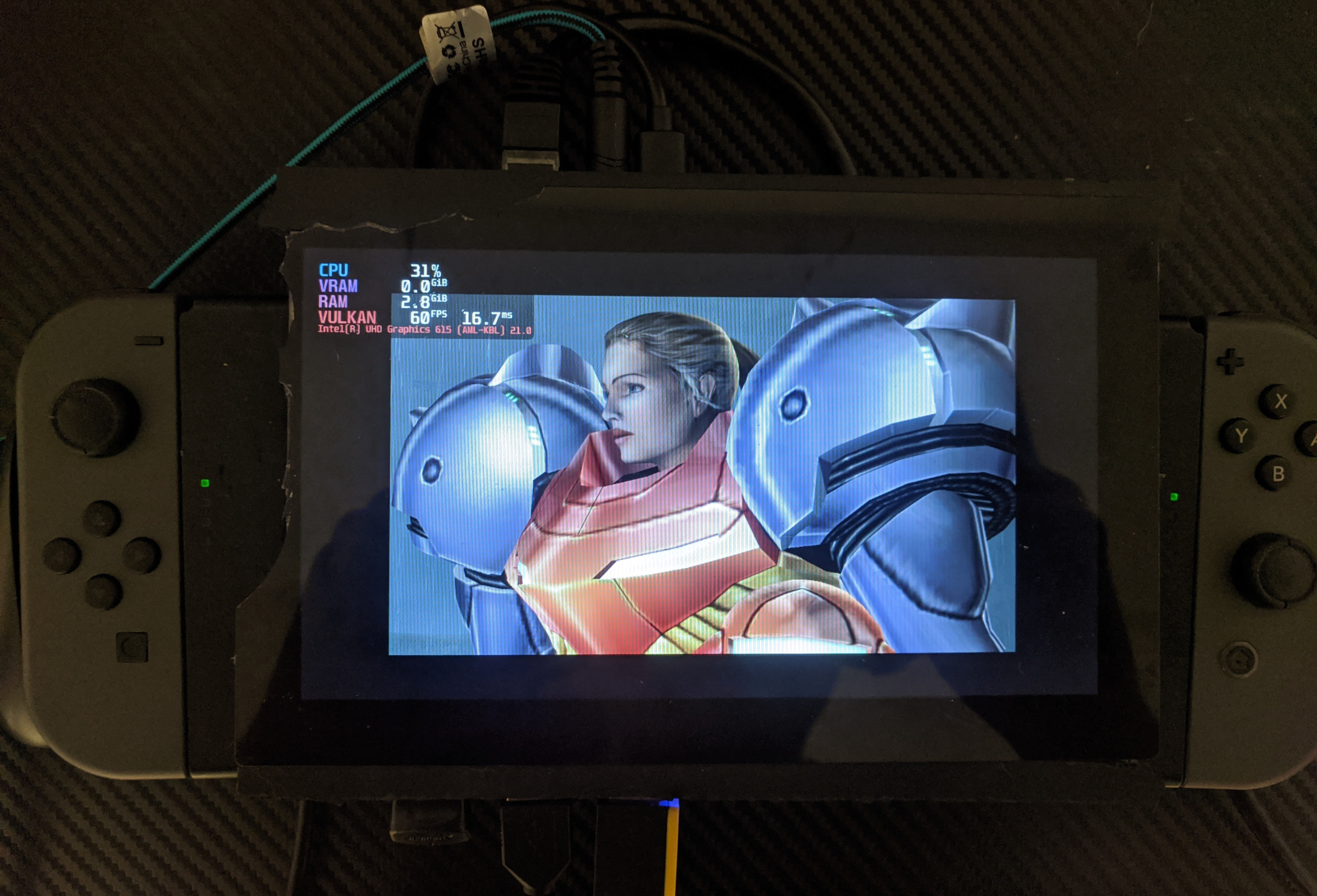
I’m kind of embarrassed to show you photos of the device I made; the screen bezel is broken up in some places, wires are all over the place, the casing for the SBC was cut up and superglued together via PVC board (since I don’t own a 3D printer), the battery is duct-taped to the casing, and for controllers, I hacked on a chop-sawed pair of Joycons that are superglued to the casing. The SBC is a Lattepanda Alpha, which sports an Intel Core m3-8100y and 8 GB of LPDDR3 RAM. I bought a battery that was meant for a different laptop, but had a molex connection, which the Lattepanda had. There are no speakers; I either had to use wired headphones via the 3.5mm headphone jack, or connect a pair of external speakers via Bluetooth.
The specs are a bit of a joke; it’s only dual-core with a boost clock speed of 2.6 GHz. The battery only lasted me anywhere from an hour-and-a-half to two hours. For software, I installed Pop!_OS with the addition of the SteamOS compositor, since, according to the article that I wrote on Boiling Steam, I left a vague note saying that the ChimeraOS – then called GamerOS – installer “didn’t work”. While on paper it actually worked, I had a plethora of issues, from needing an external keyboard to handle any games that needed it, to having to charge the Joycons separately via the Switch itself, to controller input difficulties, to a lack of gyro support, to a lack of speakers, and everything in-between.
In a way, while it was a mess, I was proud of my work. I could successfully say, “I built a portable Steam machine.” Though it wasn’t going to offer the native gaming experience that a portable GameCube would have, at the very least I could emulate some of my favorite games of all time. And with projects like the Zelda: Twilight Princess decompilation being nearly 100% complete, it probably won’t be long before we’ll see native PC gaming experiences with GameCube titles. I could even play Portal 2, GRID Autosport, and some smaller indie hits on it.
That was back in 2021. I look at the $520 price tag that came with it, and…wow. That’s over $100 more than the 256 GB Steam Deck LCD, and it’s far weaker in terms of performance.
The Steam Deck Wasn’t the First⌗
Aside from my own project, there were other companies out there that made PC gaming handhelds, before the Steam Deck was even announced. The failed Smach Z, for example, had a Kickstarter dated way back to December of 2015 – which, ironically, was just one month after the official release of the Steam Machines. There were also devices like the GPD Win series and the dozens of Aya Neo handhelds.
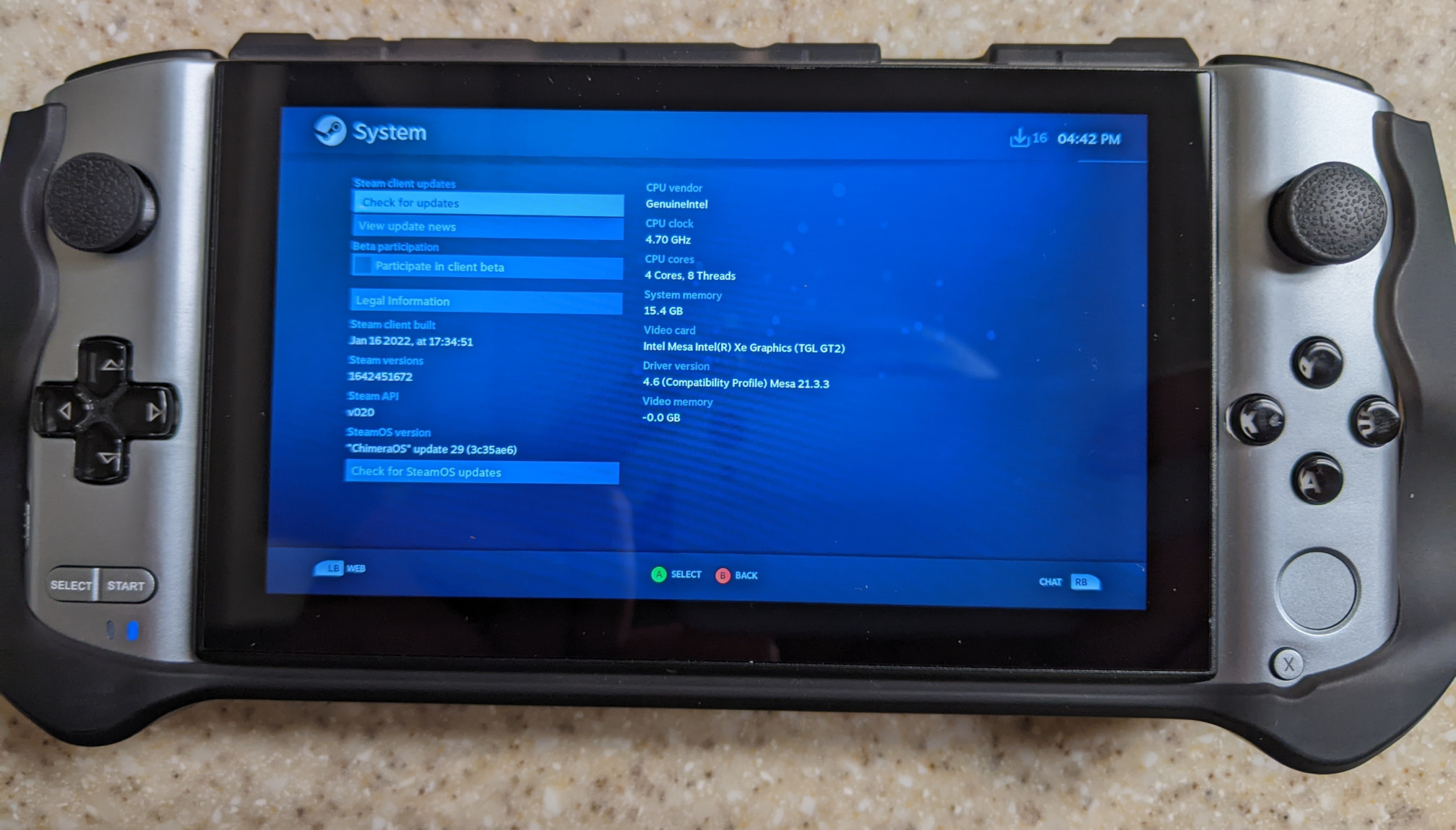
While the form factor was there, the big caveat that came with these is that they were powered by Windows. I find it a bit funny that, to this day, Microsoft hasn’t done much in terms of providing a controller-friendly interface. Manufacturers like Lenovo and ASUS have had to provide their own software, such as Armory Crate, on top of an already bloated OS, in order to have the UX slightly more bearable when using a pair of thumbsticks.
Aside from the software experience, these handhelds carried a hefty price tag. The GPD Win 3 that I had reviewed back when I was writing for Boiling Steam was $900 – and that was second-hand! Oh, and good luck if you were expecting your device to get shipped back to you if you had a problem with it.
The Scam That Was the Smach Z⌗
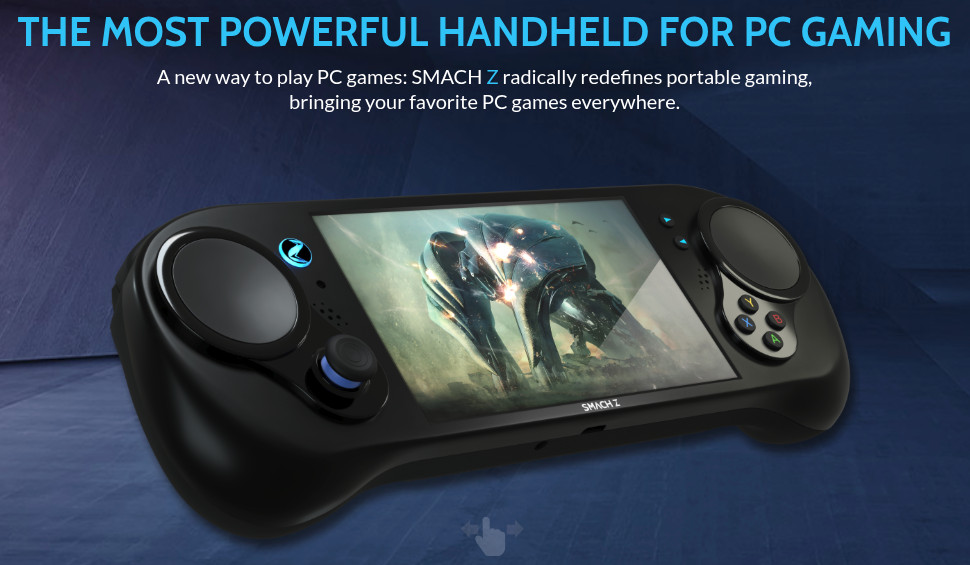
The design of the controller takes a lot of hints from the original Steam controller, with the dual trackpads – this would have been a nice addition for the games that would benefit from such a thing, such as RTS games. If that wasn’t enough, they had the “Z-Pads”, in which you could place a pad over the trackpad that would add the functionality of a D-pad or an extra analog stick.
Oh, wait. The similarity with the Steam controller is because the Smach Z (apparently pronounced “Smash Z” and not “Smack Z”), is exactly that – a cut-in-half Steam controller with a circuit board ripped out of a tablet, stuffed inside a 3D-printed case, according to a documentary. At least, that’s what the earlier prototypes were based on.
According to their Kickstarter (cough their second one cough), potential buyers could have the option of having their device shipped with Smach Z OS – a tailor-made Linux-based distribution that would create “a better interface and experience” over Windows, with “better performance”. Unsurprisingly, it doesn’t mention much of anything beyond that, like what distribution it would be based on, what desktop environment was going to be used if it shipped with one, etc.
Two Kickstarters and an IndieGoGo campaign later, along with funding by the government, and many pushed back release dates, backers never received it. Some didn’t even get their money back. I seriously feel bad for anyone who backed the project up. It’s just yet another reminder to be extremely cautious of deciding whether or not to throw your funds into a crowd-funded campaign.
The Steam Deck - The Definitive PC/Console Gaming Hybrid⌗
May of 2021 comes around. Gaben is at a college in New Zealand. During his time there, he gets asked: “Will Steam be porting any games on consoles, or will it just stay on PC?” As one might expect, Gabe’s response came off as vague: “You will get a better idea of that by the end of this year…and it won’t be the answer you expect. You’ll say, ‘Ah-ha! Now I get what he was talking about.”
Naturally, with the Internet being the way that it is, speculation had been brewing. What exactly was Gabe talking about? Was Valve actually working on a game console? And if so, was it going to be a standalone desktop PC, or a portable handheld?
A few weeks later, SteamDB founder Pavel Djundik discovered something interesting in the beta Steam client:
Valve’s “Neptune” controller shows up in latest Steam client beta again. It’s named “SteamPal” (NeptuneName) and it has a “SteamPal Games” (GameList_View_NeptuneGames)
Ars Technica would later report on this, stating that Valve “has been secretly building a Switch-like portable PC designed to run a large number of games on the Steam PC platform via Linux—and it could launch, supply chain willing, by year’s end.”
Multiple sources familiar with the matter have confirmed that the hardware has been in development for some time, and this week, Valve itself pointed to the device by slipping new hardware-related code into the latest version of Steam.
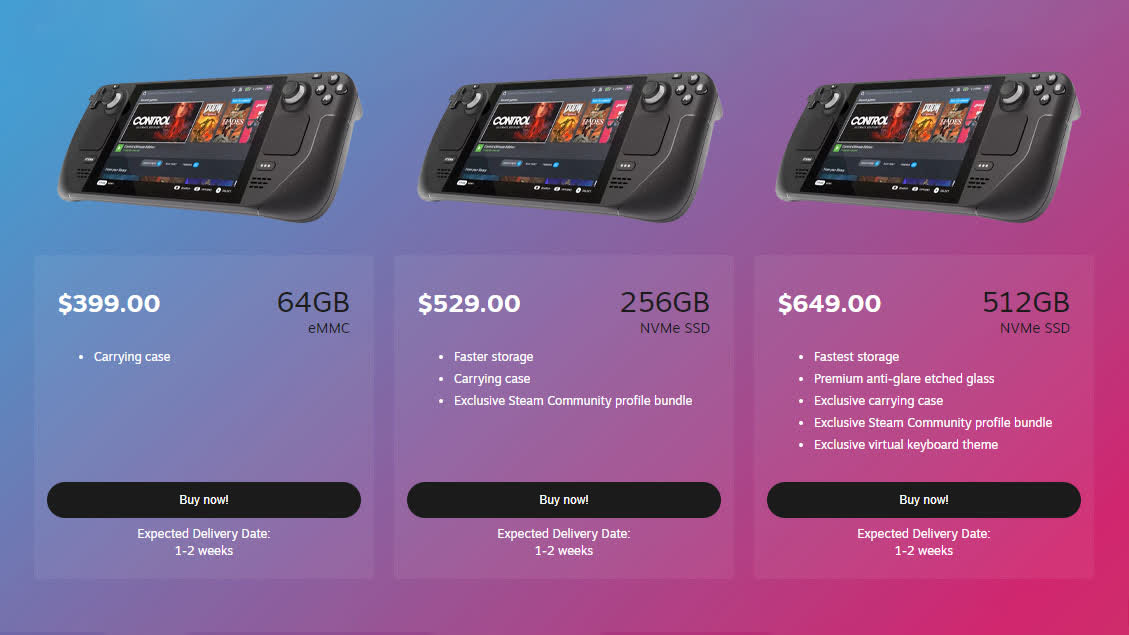
A few months later and, sure enough, the king of PC gaming officially announces the formerly-named “SteamPal”, the Steam Deck, with pre-orders opening up on the Steam store the following day on July 16, 2021.
Unfortunately the device had shipped at a particularly troublesome time during the pandemic and chip shortages were rampant. Still, thankfully Valve had thought about this ahead of time, and had some prerequisites for those who were interested in buying – such as needing a Steam account that was already created ahead of time and that had a few hours’ worth of gameplay time – unlike Microsoft and Sony at the time with the release of their ninth-gen consoles. This would help curb against them greedy scalpers.
Making Linux Gaming Less Painful⌗
Valve had certainly learned a few key lessons from their Steam Machine initiative a decade ago. Native Linux gaming – to this day – is so niche, but the company thankfully didn’t give up, and collaborated with companies like CodeWeavers to tailor-make Wine, an already-existing software project, into something more optimized for gaming. That would give birth to Proton, which, at the time it was first announced in August of 2018, was branded as “a new version of Steam Play”. In case you weren’t aware, Steam Play at the time meant that, if you purchased a game on Steam, you could play the Linux, Mac, and Windows versions of that game, if those versions were available on those platforms, without having to buy the game again on a different OS.
Proton would allow “ways to make more titles easily accessible to Linux users” while also increasing performance in multi-threaded games and improving controller support. Integrating this into the Steam client would “provide the same simple plug-and-play experience offered by regular Linux games.”
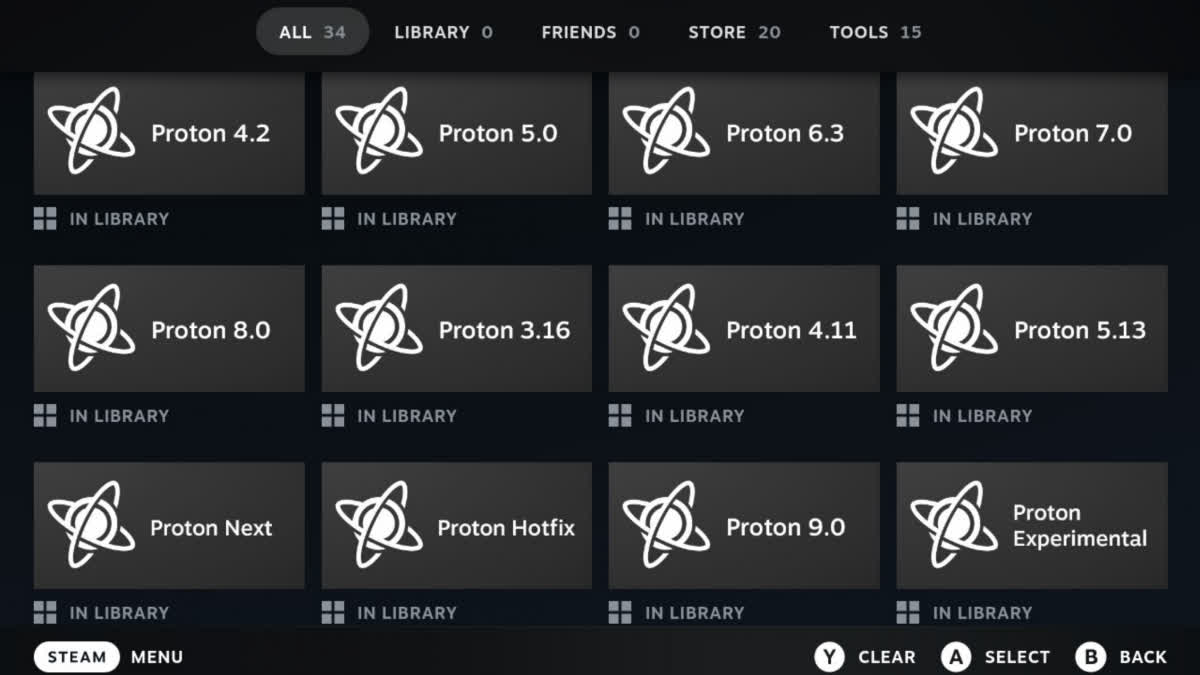
Even though that was announced over seven years ago, to this day I am amazed and grateful for such an excellent compatibility tool. For us Linux gamers, we essentially entered into this “golden age” of Linux gaming. No longer are we locked to just a small handful of titles; the amount of games we can now play has significantly grown; enough to the point where many of us – myself included – no longer have to dual-boot Windows just to play the games that we want to play.
It was a huge boon for developers too. After the Steam Deck was announced, the infamous quote on the Steam Deck developers page says, to this day, “No porting required.” Game developers could export their game, like they usually do, to Windows platforms, and let Proton do all the heavy lifting for them when it comes to Linux/Steam Deck. Games with anti-cheat software are a different beast, but for the most part, devs would have to do little to nothing to optimize their game to work. They could thus focus more so on the game itself and not as much on trying to provide multi-platform support.

As if Proton wasn’t enough, Valve finally counted to three: they updated the super-outdated SteamOS 2.0 Linux distribution, swapped out Debian with Arch, replaced GNOME with KDE Plasma (likely to make the transition of Windows users less of a hurdle), made the underlying system immutable, updated the software, and replaced the buggy old Big Picture mode with something more functional and modern. The Steam Deck would come pre-installed with such an operating system. As a result, the Steam Deck truly felt like a portable gaming console, the way it was meant to be played, all while maintaining the benefits of having the PC architecture, such as mod support, and a desktop interface in case you needed to do anything there. This would attract Windows gamers and even console gamers alike, and a plethora of content creators, specifically for the purpose of Steam Deck-related news, would crop up.
Just remember, though: ChimeraOS did it first.
No Such Thing as “Competition”⌗
A huge advantage that the Deck had over the so-called “competition”, was the price entry point. With the 64 GB SKU only being $400, that was easily half the price of other handhelds. Gabe was quoted as saying the price was “painful” but “critical”. If that $400 price tag was still too high for you, if you were lucky enough to get your hands on a refurbished unit, you could’ve nabbed a 64 GB SKU for $280. $280! Not enough storage? Just get a MicroSD card. Or upgrade the internal SSD at a price less than that of the 256 GB and 512 GB SKUs.
Another advantage that the Deck has – to this day – is the vast amount of controller configurations. Not only do you have four back buttons; you also have dual trackpads, and touch-sensitive thumbsticks. Though the hardware might be a bit outdated compared to some of the more modern options, such as the ROG Ally and the Legion Go series, I haven’t seen as much when it comes to the plethora of input options that the Deck has. The touch-sensitive thumbsticks makes it much easier to move the camera around in a game, for example, without having to touch anything else. The trackpads make it more manageable for games that need a mouse. The back buttons provide easy-to-access presses when doing specific tasks, that you would otherwise have to move your thumb away from the thumbstick. Valve also provided the free Aperature Desk Job – a Portal series spin-off in which you could get an idea as far as how these controls could work.
Let’s not forget the support, too. Every Steam Deck purchase from Steam – including refurbished units – comes with a one-year limited warranty. The RMA process is fairly simple; Valve would provide you a return label, you’d ship it out, and more often than not you’d get the device a week or two later fixed, free of charge.
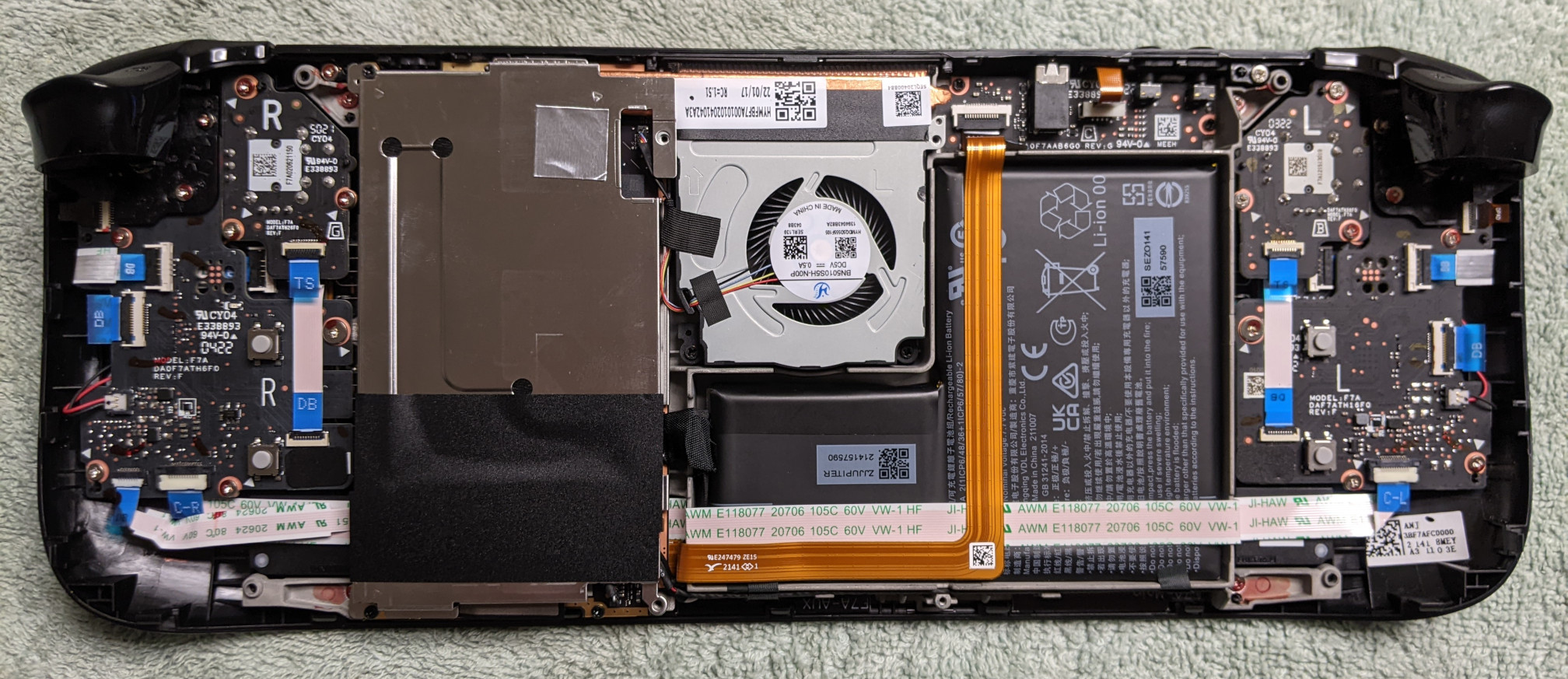
Want to take your Deck apart? No problem! Valve even provides their own video going over the process of upgrading your hard drive or thumbsticks. Honestly, this is such a refreshing contrast compared to the dirtbags at Nintendo. No tri-wing screws here. Just take off the eight Philips screws on the back to take the back plate off. No need to worry about voiding your warranty, or having the secret police sent to your door for some kind of DMCA violation for taking off a piece of plastic. Want to use something other than SteamOS as the operating system? Go right ahead! Want to buy a game from somewhere outside of Steam? Go nuts!
So, you combine the following:
- the affordable price point
- the ridiculous amount of input customization
- the excellent software experience
- the right-to-repair stance
To me, the Steam Deck just frankly does not have any sort of competition with other PC handhelds trying to occupy the same space. The majority of other handhelds are extremely pricey, don’t offer the same level of support, lack the controller features, and slap Microslop’s Windows OS on top of them. Sure, you could take something like ChimeraOS in an attempt to solidify the PC gaming experience that SteamOS provides, but this is not officially supported by the manufacturer of that device, and more often than not, you’ll run into some minor issues. The closest thing we have right now is Lenovo’s partnership with Valve, providing a pre-installed SteamOS image on the Legion Go S (and eventually the Legion Go 2). This is one step closer in the right direction, and I certainly hope other manufacturers will catch on and provide something other than that God-awful Windows experience. Even so, with the absurd $1350 price tag of the Legion Go 2 currently, these newer handhelds have a long way to go in terms of making them more affordable to the end-consumer.
A Look Back at the LCD Model⌗
Well, it’s been about two-and-a-half years since my Steam Deck LCD showed up at my door. It would have showed up sooner, had I not been at a job site with crappy cell phone reception at the exact time the pre-orders went live.
There’s 29 pages’ worth of posts here on my site with the “steam deck” tag. Most of them are news-related articles, such as new Steam Deck client updates or SteamOS updates, or opinions like telling users why they should never install Windows on it, or whether or not the verification process could use some improvement. I’m not going to manually sift through the 29 pages, but certainly, my Steam Deck has been through the ringer, from my controversial review, to overclocking it, to undervolting it, to converting the file system to BTRFS, to broken MicroSD cards from taking out the back plate without taking out the card first (like many of you), to making a clickier version of the buttons, to upgrading the screen, to (my favorite) making it look like a portable GameCube, to…well, I think you kinda get the idea.
Though a lot of them are now outdated, I’ve written many guides for it too. One example is how to overclock the GameCube controller adapter. This was at a point in time where documentation for this was scarce. There were instructions on attempting to do so on the gcadapter_oc_kmod GitHub, but at the time, the instructions were outdated. It didn’t help that hannesmann, the creator of the overclocking script, didn’t own a Steam Deck, so they couldn’t test it. After digging through several old threads on r/SSBM and r/SteamDeck, however, I managed to stitch them together to create the guide that I did. hannesmann also helped me future-proof the guide so that, as opposed to installing the Linux headers for specific kernel versions, the script now autodetects the current kernel version in SteamOS. They also helped me getting the overclock module to persist across reboots.
I’ve reviewed quite a few accessories for the device. The ones in particular that I thought were worth it include:
- the DeckHD screen
- the transparent purple front and back shell from JSAUX
- the JSAUX ModCase (essentially, a more affordable version of Dbrand’s Project Killswitch)
I’ll be honest: the stock screen on the LCD is more or less garbage. At least, when you compare it to just about any other handheld out there. The colors just aren’t that great and whitewashed. Combine that with the odd 16:10 aspect ratio, that’s probably one of the reasons why Valve was able to ‘painfully’ keep the Deck’s price to the way it was. But hey, I guess that extra 80 pixels of vertical space paid off in the end, because you can use level 2 of the MangoHUD performance overlay and see the numbers in the empty space above the game screen, without them overlapping the oh-so-important action that’s going on.
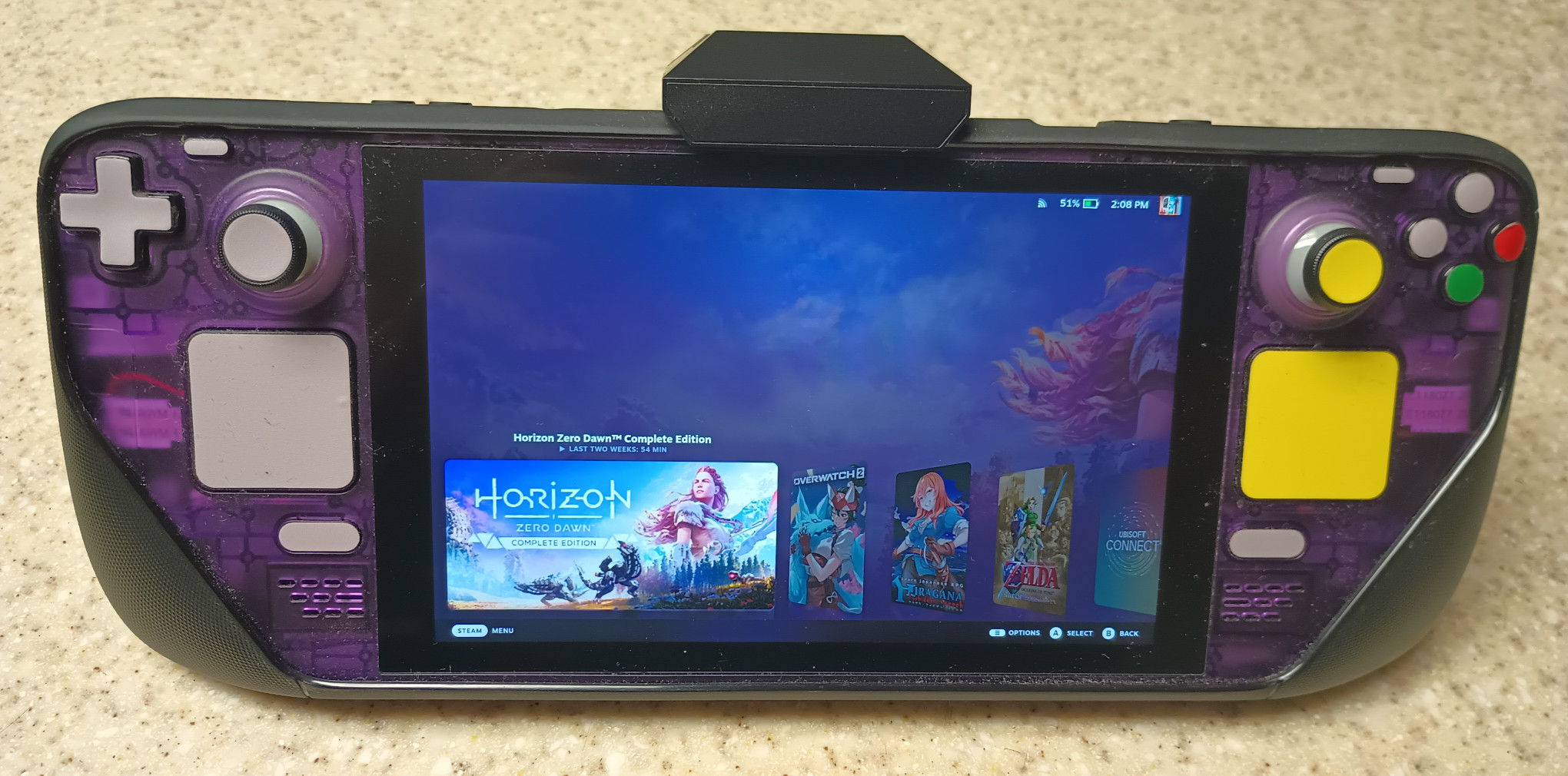
The DeckHD solves the color crisis. The colors are much more vibrant. The increase in resolution from 1280 x 800 to 1920 x 1200 is a bit overkill though. The Deck struggles enough as it is with some of the more hard-hitting AAA titles out there at 800p, and even if you attempt to overclock the APU, you’re only going to be able to squeeze another 2-3 FPS, depending on how much you can overclock it without the Deck shutting itself off.
The clicky button kit wasn’t worth it. Soon after installing it, I noticed I couldn’t get the daughterboard to recognize that I was pressing the A button when playing Tony Hawk’s Pro Skater 3 + 4. I also noticed that, if I press the D-pad down hard enough, multiple directions will be pressed. For example, if I hold Down, eventually Left and Right will also be pressed. I had to take the Deck back apart and re-seat the rubber membranes so I could at least get the A button to register again.
Sure, you could “upgrade” the sticks by using an electromagnetic-based solution, but I’ve never heard anyone complain about stick drift with the stock thumbsticks. If anything, I’m still noticing a bit of drift when I try calibrating the GuliKit sticks in SteamOS. I know it’s not necessarily a hardware problem; it’s more so with the frustrating, constant re-seating of the ribbon cables that’s causing this erratic behavior. I should have just kept the stock thumbsticks. I guess the GuliKit sticks will provide future-proof of longer-lasting endurance though, should I ever see anyone get stick drift.
Do I Still Use It?⌗
You would think that, with Steam Deck-related posts taking up more than a third of LGC’s entire catalog of articles, and the amount of time that I’ve opened it up, doing hardware mods, reviewing games with it, and writing guides for it, that I would cherish such a device. While I’m not necessarily saying that’s a false sentiment, I gotta be honest here: I don’t use the Steam Deck that much. Outside of the articles that I write for it, outside of the games that I review with it, I rarely use it. Even when I take the Deck with me wherever I go, I just don’t find much incentive to use it to pass the time, since I already got my phone with me and that’s distracting enough. When I do my gaming, I usually do it on the HP Dev One laptop, that I still use to this day.
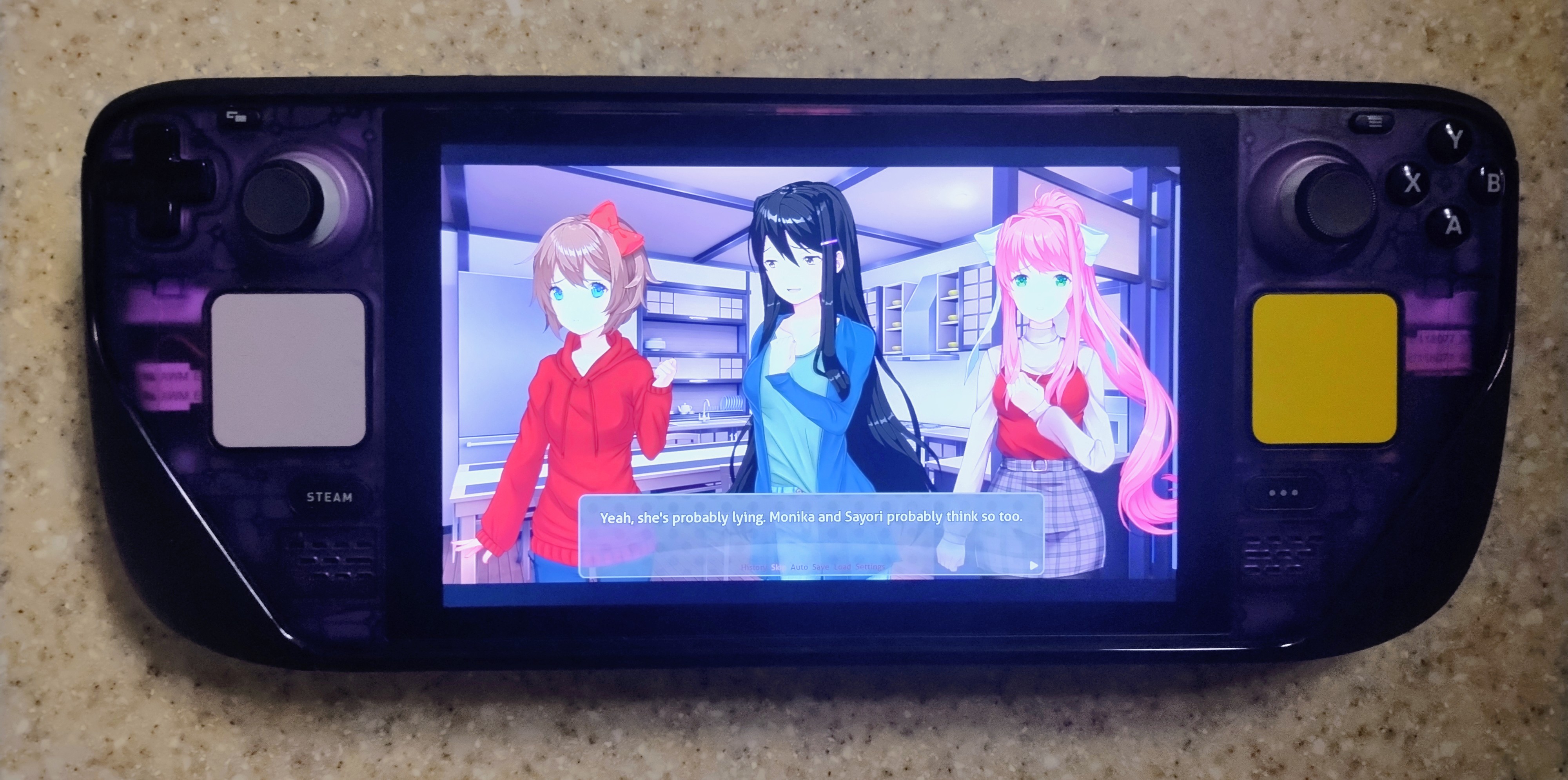
That being said, overhauling my Deck to give it more like a GameCube-style appearance is the closest thing I have gotten to fulfilling my dream of making a GameCube portable. If I were to go back to being my twelve-year-old self, I would have been absolutely ecstatic seeing Super Smash Bros. Melee running in a portable form factor. Add 20 years to that age and now I just say, “meh”. It’s there; just not as exciting as I thought it would be. Though it was an expensive and time-consuming process, I’ll admit I was pretty satisfied at seeing the end result. Sadly, some of the stickers on the buttons have peeled off over time. I should have just replaced the buttons entirely.
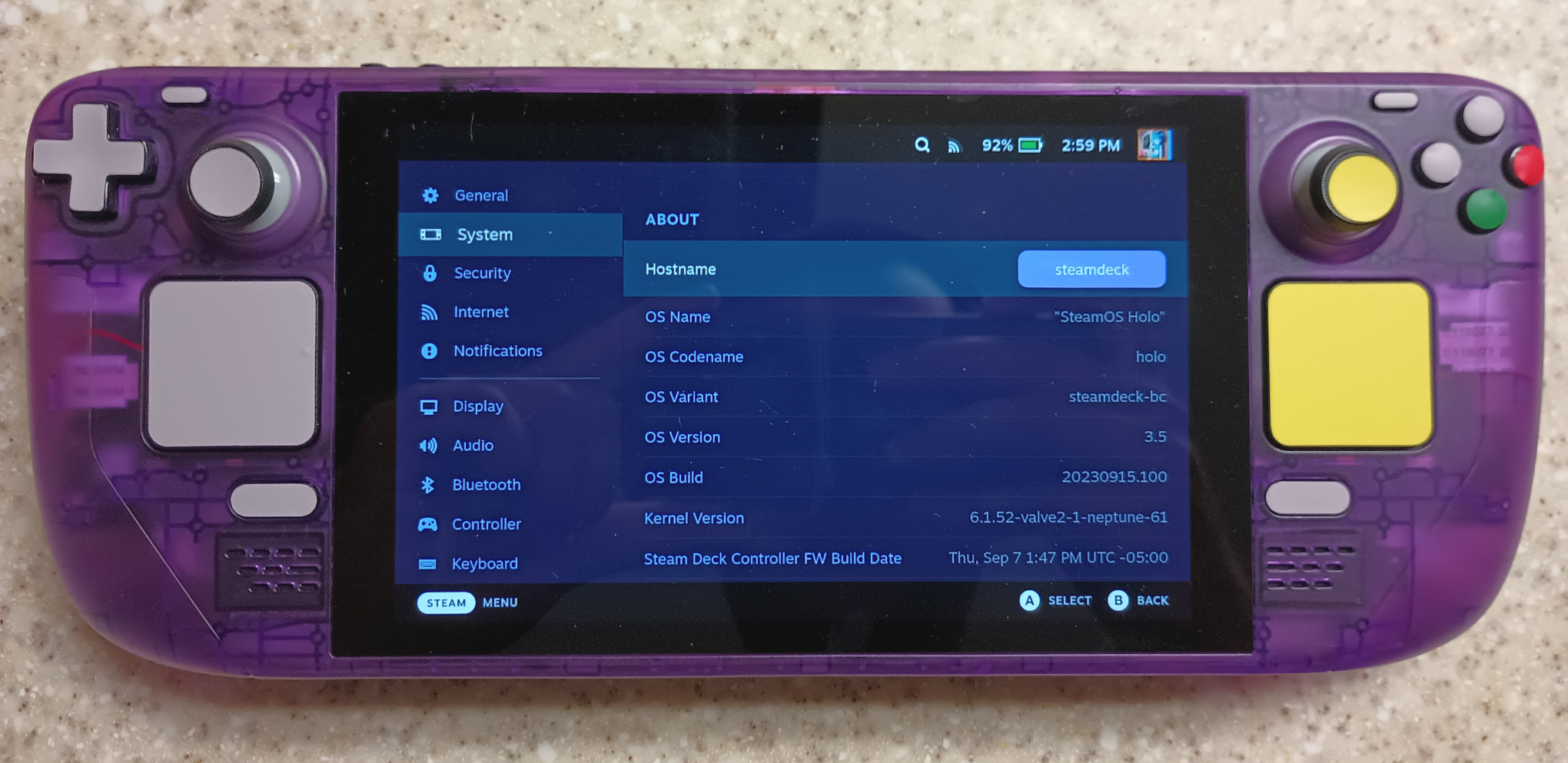
One thing I have recently been doing, however, is reading visual novels on the Deck. Crank the APU down to four watts, dial the GPU clock speed to its lowest at 200 MHz, drop the framerate to 15 FPS, and I’ve got myself a battery sipper that will last me many hours. I would read visual novels even more if my treadmill at home was working; I’d read while walking. Do a passive, recreational hobby while not feeling the guilty pleasure of not getting anything productive done. But visual novels are still good for when I’m going to bed – I can just read, read, and read until I finally get tired enough to go to sleep.
Goodbye, Steam Deck LCD⌗
I’m sure you’ve noticed this by now – when going to the Steam store page for the Steam Deck, the button to buy the LCD version is greyed out, with the text “Out of stock”. Under that says:
Note: We are no longer producing the Steam Deck LCD 256GB model. Once sold out, it will no longer be available.
If you’re fast enough, you might be able to buy a refurbished unit once supply comes in. But that’s something where you have to be right then and there, by your computer, because in just 10 minutes, the buttons to buy them will no longer be green; they’ll likewise be greyed-out. People will buy them immediately. Your only solution at that point would be to buy one second-hand. GameStop did, for a time, sell refurbished consoles, but now, upon going to their website, you’ll simply be met with a “Sorry we could not find the page you were looking for”. You can technically find them on Amazon too, but you’re going to be paying a lot more than what you’d pay on Steam’s website.
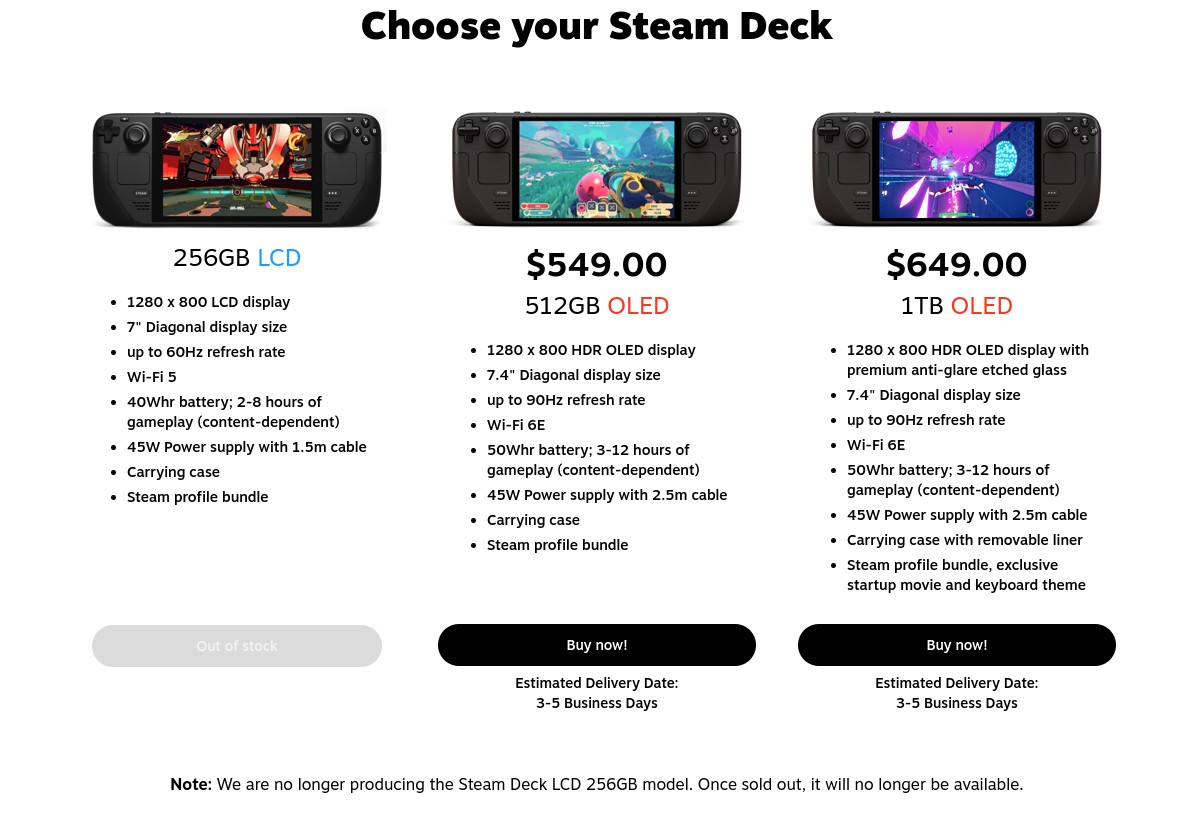
So, the inspiration for this post is more or less because of that – because the Steam Deck LCD has served its purpose, and Valve has moved on.
Hello, Steam Deck OLED⌗
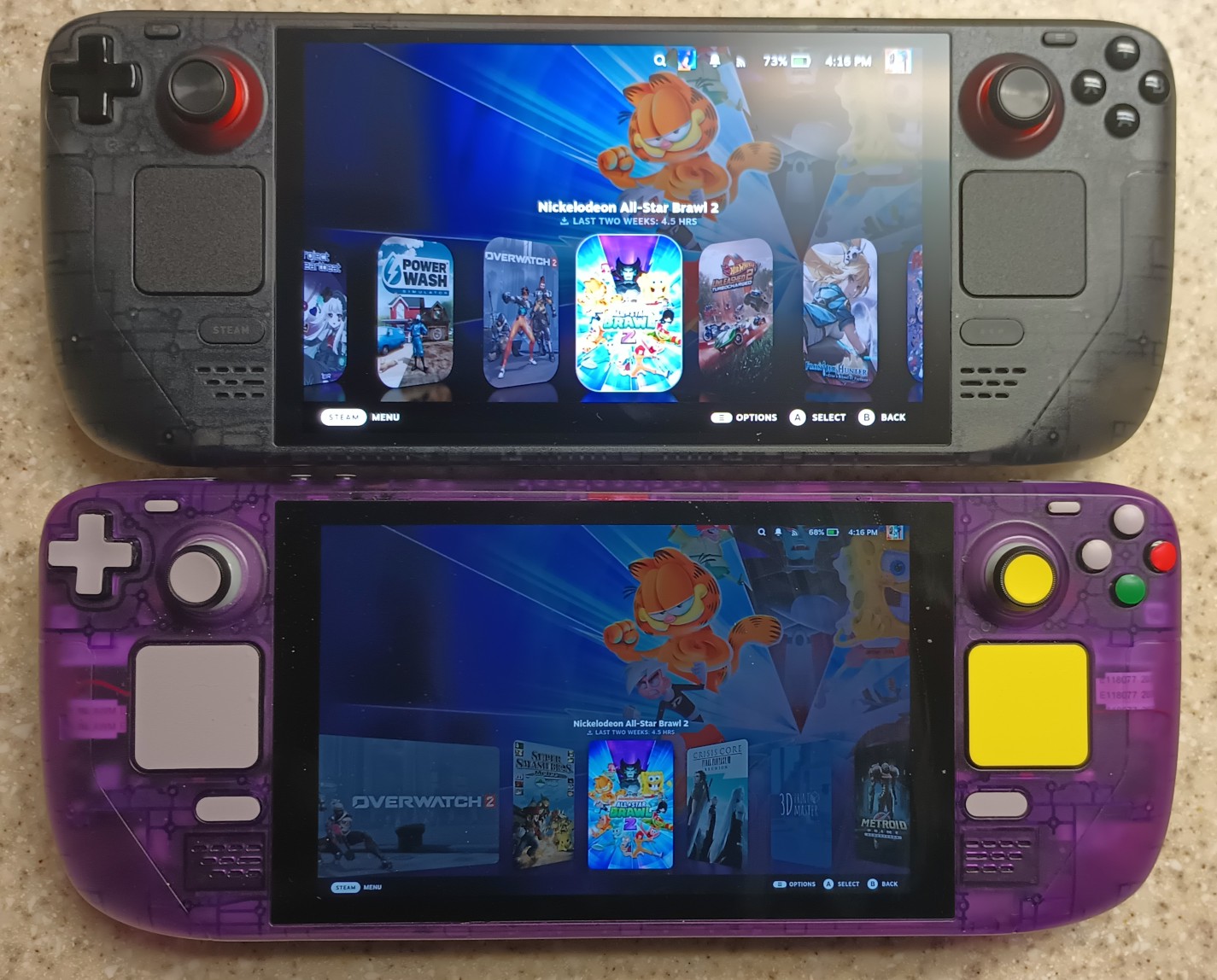
The OLED is definitely a vast improvement over its predecessor. I can certainly attest to that with my hands-on review of the charcoal-colored Limited Edition model. The colors of the screen are much better, the bump from 60 Hz to 90 Hz provides a smoother gaming experience, more screen real estate is used while retaining the same overall size, the trackpads and analog sticks feel much better to use, it is slightly lighter while having a larger-capacity battery, the improved motherboard layout decreases the risk of electromagnetic interference between the hard drive and the Wi-Fi chip, the memory clock speed is slightly faster…and that’s not the full list of improvements.
I miss my OLED – I had sold it some time ago. It was beautiful in appearance, from the design of the case, to the translucent layer of the shell, to the orange-colored screws. That sucker didn’t need any hardware mods at all; I liked it just the way it was. Valve had described the OLED as being the “definitive first-generation” model.
The End of Affordable PC Handheld Gaming?⌗
I am a bit saddened that Valve is no longer producing the LCD model. Though the OLED certainly has a plethora of advantages, the LCD version is just as powerful. And nearly all of the advantages of the OLED can be negated if you’re docking the Deck, because, when you’re playing on the big screen, you’re not paying attention to the improved ergonomics, or the improved battery, or the improved colors. And the LCD is still getting software/firmware updates. All at a price that was $150 less expensive than the 512 GB OLED model.
Some have speculated that, due to the rising costs of such components as RAM and NAND storage, this is why Valve isn’t making these anymore. And while that is a valid theory, I don’t necessarily agree with it. It just seems a bit too coincidental that the LCD is OoS just weeks after the announcement of the Steam Machine. As such, Gardiner Bryant proposed a different hypothesis that seems more plausible, explaining that discontinuing the LCD model is a “strategic move” in favor of not making such a daunting gap between the price of it and the price of the newly announced Steam Machine:
With the discontinuation of the LCD and the introduction of the Machine and Frame, the OLED will suddenly occupy the “Pricing Anchor” slot for Valve’s first-party lineup of gaming hardware. Let’s say that the entry level Steam Machine is $649. Like it or not (and despite them being different SKUs) gamers won’t help but to compare $399 to $649. They will then say “no way, Jose.”
Basically, what he’s saying is, once the price of the Steam Machine finally gets announced, potential buyers are going to immediately compare prices. If you line up the $399 price tag of the Steam Deck LCD with the theoretical $649 price tag of the Steam Machine, that’s a pretty big difference. Gamers are going to be turned off with the $649 tag, and the LCD will look much more appealing, just based on the price alone.
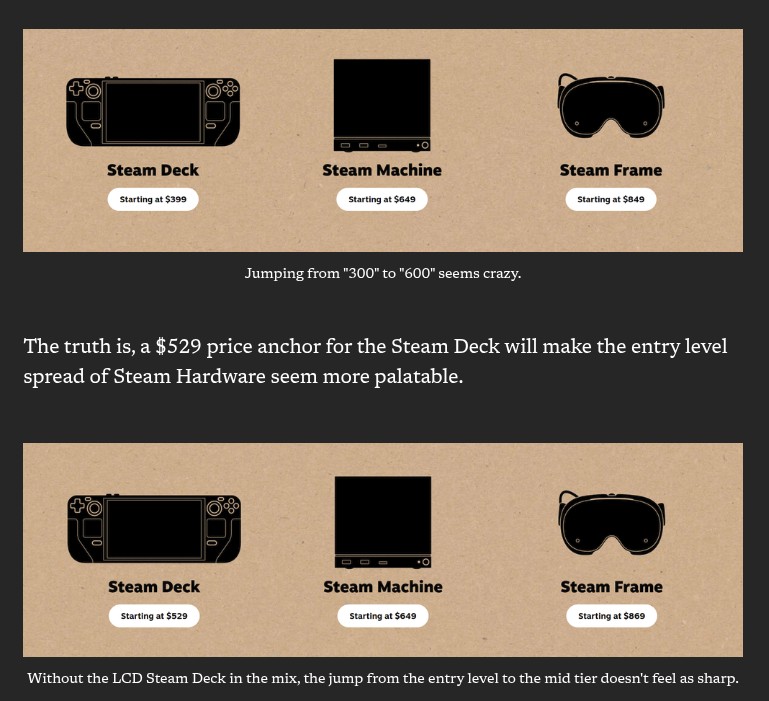
However, now that the LCD is discontinued, you’re going to have the pricier $549 Steam Deck OLED placed alongside the $649 Steam Machine when you’re on the hardware page. Now there’s not so much of a price difference anymore; that $649 Steam Machine suddenly seems more appealing to buy, simply because the price gap isn’t as large.
See how marketing like this can play such a big role psychologically to your head?
Wrap-Up⌗
A lot of folks, from the nobodies, to content creators, and even celebreties alike, it seems the Steam Deck has transformed a lot of people’s lives, for the better. To an extent, I agree – at least, for the few times that I use it. I love the portable form factor, I love how it holds in my hands, I love how I can read with it until I sleep. The software experience, while it was hit-or-miss when the Deck first launched in February 2022, has improved significantly since then, and it’s only getting better as the months and years go by. Proton and SteamOS certainly has in no small part made gaming outside of Windows that much better for everyone, myself included.
I also appreciate Valve’s open-ness when it comes to modding, be it directly through the software itself, such as Decky Loader, or upgrading the hardware. Really, I could easily make this already-lengthy post double its size, were I to briefly touch on what people have done to it, such as improving the APU’s temperature or doubling the amount of RAM.
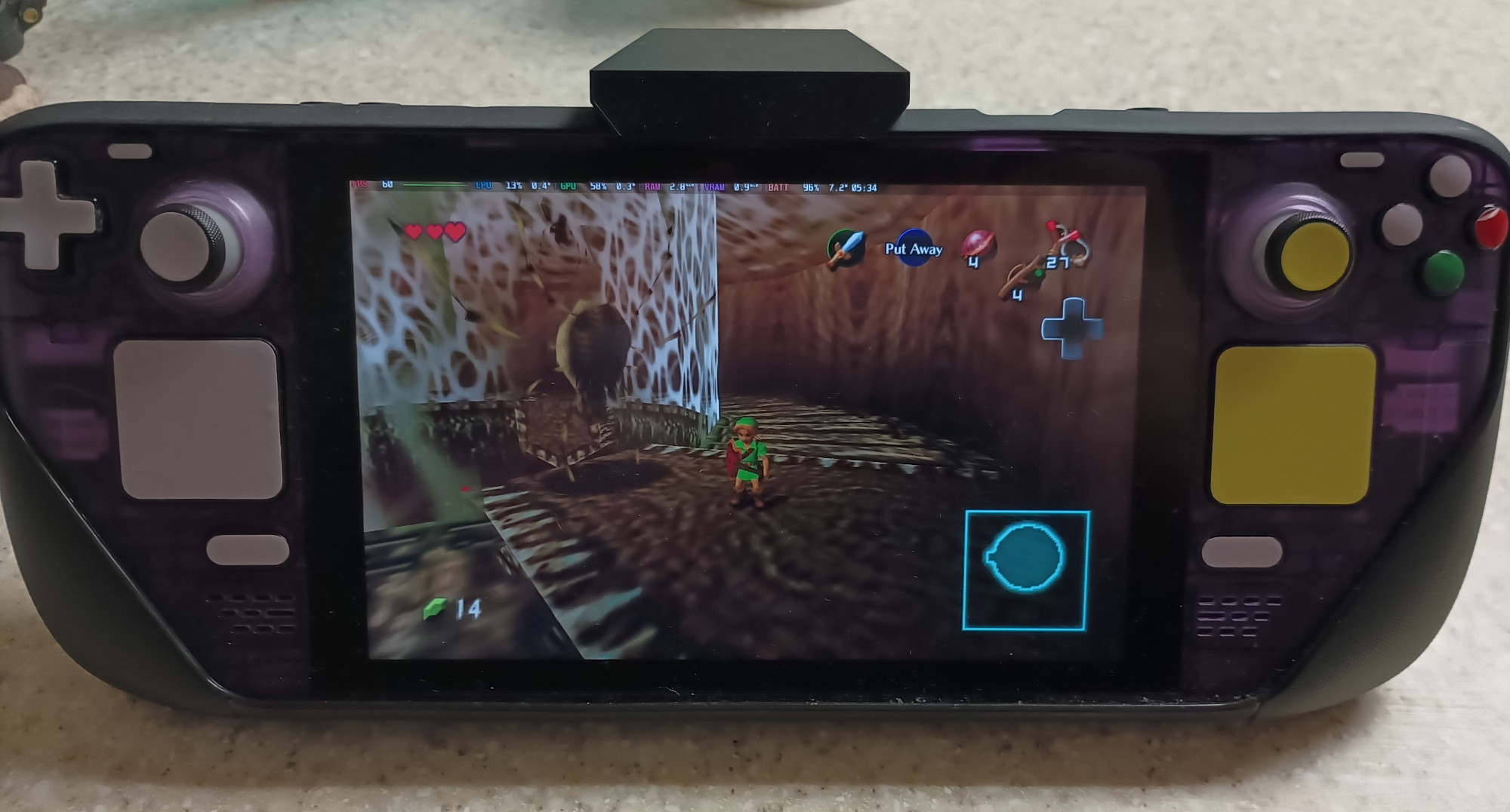
Though I’ve been critical of Valve in times past, I do want to thank them for their overall contributions to the Linux kernel, to Wine, to Arch, and everything else they’ve done to make Linux gaming what it is today. Were it not for their efforts and persistence, I would probably be dual-booting with Windows right now as far as playing the games that I enjoy.
I suppose the legacy of the Steam Deck will live on with the OLED edition. Do you still have the LCD model though? Or have you had it in the past? Let me know your thoughts and your memories with it!