An Interview with William Edwards (ShadowApex)

Formerly a ChimeraOS contributor and currently a member of the PlaytronOS team, you might have seen the “ShadowApex” moniker floating around on the Internet, depending on what software projects you’ve come across. William Edwards, AKA ShadowApex, along with his friend Derek Clark (pastaq), are probably most well-known for their OpenGamepadUI and InputPlumber implementations. Chances are, if you’ve used a gaming-based distribution, InputPlumber was likely running in the background and was responsible for handling your controller’s input.
I had a chance to interview ShadowApex in particular, and wanted to get his thought process as far as why these projects were created and how they benefit the Linux gaming community as a whole. It’s a good read that I think you’ll appreciate; one that helps you to understand the lengths some developers go in order to make distributions like SteamOS, ChimeraOS, and Bazzite have that “console-like” experience. Collectively, the projects that ShadowApex and pastaq have worked on make these sort of distributions a reality. If you want a FOSS alternative to Steam and Steam Big Picture Mode, you’ll love OpenGamepadUI! And did you know he worked on a open-source alternative to Pokémon?
Note: bold has been added by me.
TL;DR
- ShadowApex, also known as William Edwards, has co-developed such software projects as OpenGamepadUI, InputPlumber, and several other tools, to provide a more console-like experience to Linux-based devices
- the organization he has created, ShadowBlip, is a founding member of the Open Gaming Collective (OGC)
- while he was contributing to ChimeraOS, he was “containerizing OS image builds” and “worked on improving the handheld experience”. This, in turn, would lead to the development of InputPlumber, PowerStation, OGUI, etc.
- pastaq initially laid the groundwork for full controller functionality to handhelds with HandyGCCS, but later merged into what InputPlumber is today, as an open-source equivalent to Steam Input
- PowerStation: enables TDP control. Developing this – in particular for handhelds – led to “vastly improved battery life”
- Playtron approached ShadowApex for his work on these projects, and now gets paid to work on his passion projects, since some of them are incorporated into PlaytronOS. But he admits the general reception to PlaytronOS has been “mixed”
- OpenGamepadUI: designed as an open-source alternative to Steam Big Picture Mode, while also giving developers the ability to develop plugins without Steam updates breaking integrated plugin systems like Decky Loader and Crankshaft
- OGUI was developed in the Godot Engine because of familiarity with the engine, the FOSS-friendly nature of it, programming language flexibility, built-in controller support, along with several other reasons
- devices with SteamOS pre-installed, such as the Legion Go series, is “fantastic” as far as providing OOTB Linux support, although there still is some headache involved
- favorite programming languages include Rust, Go, and C
- favorite handhelds: Steam Deck OLED and Legion Go S
- described as being “very interested” in the upcoming Steam Machine and Steam Frame
- currently uses NixOS as his daily driver because of its “flexibility and customizability”, while using Niri and DMS (Dank Material Shell) as the desktop environment
- favorite games include Hollow Knight, Slay the Spire, Katana Zero, Rimworld, Pillars of Eternity, Baldur’s Gate 3, Skyrim, and Fallout
- how to help: “spreading the word, testing, finding and reporting bugs”. Plugin developers are also appreciated
- things to look forward to: a new interface for OGUI, improved plugin support, and improved OS integration
- join the ShadowBlip Discord if you’d like to say hi
Describe who you are, what you do, and what projects you’re involved with.⌗
My name is William Edwards, otherwise known as ShadowApex on GitHub, Discord, and pretty much everywhere else online. I may be most well known as one of the creators of OpenGamepadUI and InputPlumber along with my partner in crime, Derek Clark (pastaq), which we jointly develop along with other projects under the ShadowBlip organization.
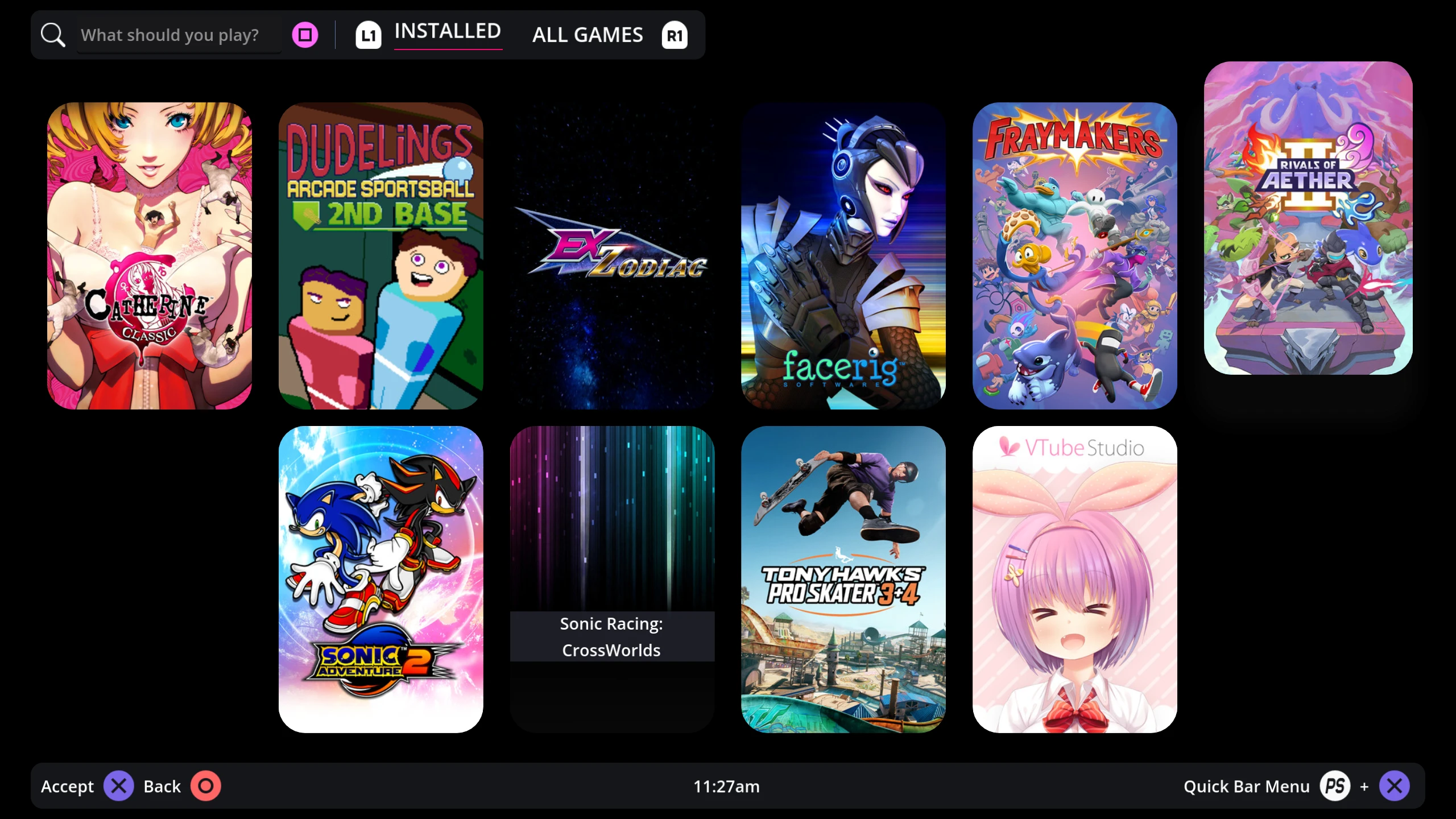
ShadowBlip was created as an organization to host the gaming-related projects that Derek Clark and I worked on together. The “Shadow” half of the name comes from my username and the “Blip” half comes from Derek’s, though he also goes by pastaq. Today the organization’s main focus is to provide a space to collaborate on a variety of open source software that focuses on improving gaming on Linux, especially projects that can help provide a console-like gaming experience like SteamOS, Kazeta, Playtron, and Rocknix does.
ShadowBlip is a founding member of the Open Gaming Collective. The main difference between the two is that ShadowBlip projects are directed primarily by Derek and I whereas the Open Gaming Collective is more about providing a shared space for distros to come together to work and collaborate on projects that we have in common. The OGC kernel, for example, provides a way for us to all come together to work on a shared gaming optimized kernel so distributions can focus more on the things that makes their distribution unique.
I am a software engineer, but I’ve also spent a long time doing DevOps, server work, and all things Linux over the years. Working on Linux and open source has been a big passion of mine for a long time. My family didn’t have much money growing up, so when I first found out about Linux and open source, I was blown away that everything was free. It really gave me an opportunity to learn about software and technology where I otherwise might not have. Since that moment, I’ve just been trying to pay it forward by giving back to the open source world whenever I can.
Along with OpenGamepadUI and InputPlumber I have been involved with a lot of other projects all generally focused around Linux gaming. Over the years this has included projects like ChimeraOS, PowerStation, Tuxemon, Go bindings for Godot Engine, and others. The Go bindings for Godot Engine (called godot-go) was a project that would let you write Godot projects using the Go programming language. One great thing about Godot is that the engine provides an interface that can let you write your game in any programming language you want. I really liked the Go programming language, so I created godot-go to let you write Godot games using Go! The original project is archived now, but others have taken up the task and continue to maintain Go support for Godot Engine.
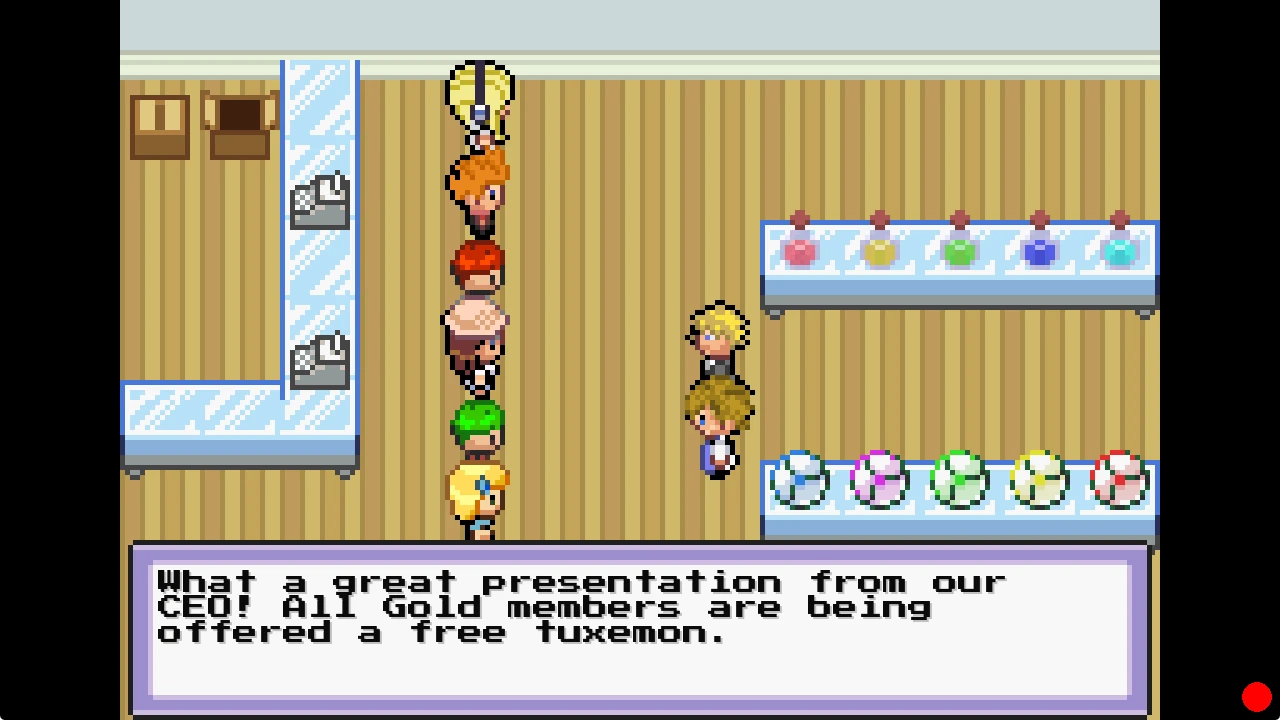
Tuxemon is an open source monster-fighting RPG written in Python. As a kid I really loved the Pokémon series so I ended up creating Tuxemon as a way to learn more about game programming and make an open source alternative. I don’t work on Tuxemon much these days, but the project continues on with many fantastic contributors who have picked up the torch. A new update for Tuxemon was actually just recently released with many new changes!
You were previously a contributor to ChimeraOS. What exactly were you involved with there?⌗
As a ChimeraOS team member, I mainly worked on containerizing OS image builds and worked on improving the handheld experience of ChimeraOS, much of which led to the development of projects like InputPlumber, PowerStation, and OpenGamepadUI. For our image builds, using a build container enabled us to more easily automate building new ChimeraOS images using CI workflows. (“CI” stands for “Continuous Integration”, which is really just a fancy term that means there’s some kind of script that will run automatically whenever you commit code. So for ChimeraOS, we could automatically build a new image of the OS whenever someone would submit code to the project.)
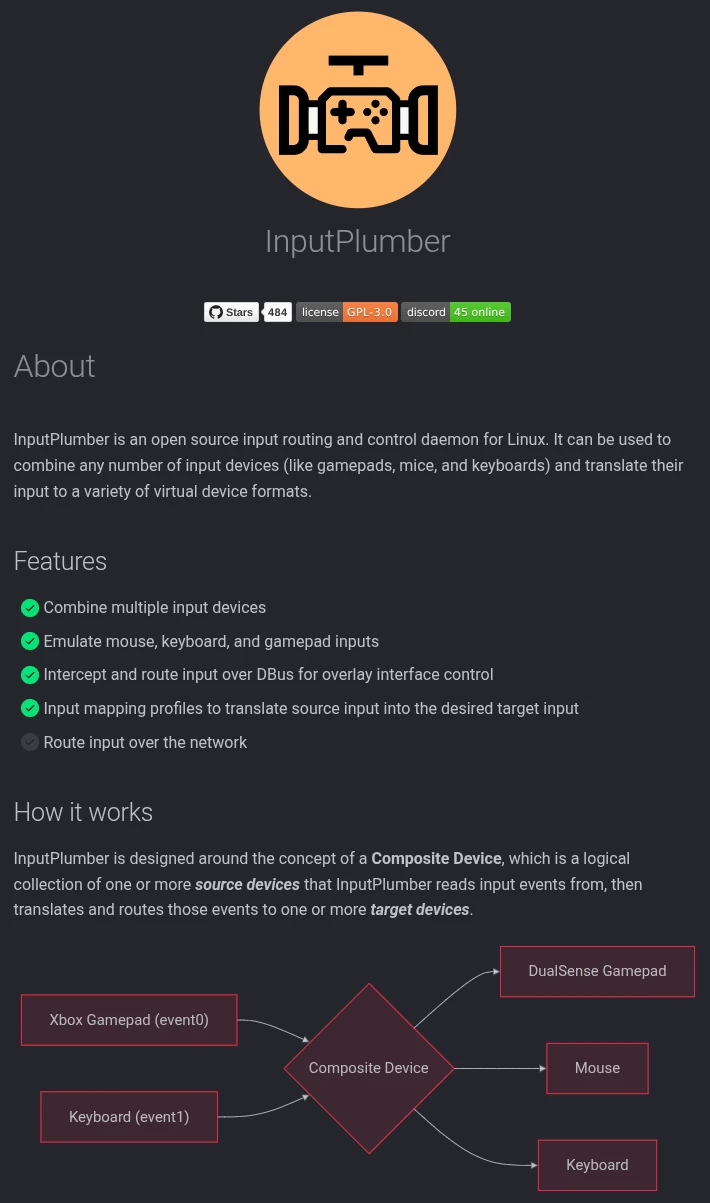
There were many challenges we faced in the early days of handheld support for ChimeraOS, and getting things like gamepads and TDP control working were crucial for a good experience on those devices. The handhelds that were coming out at the time were all built for Windows and needed a lot of work to get them working well in Linux. Handhelds like the ROG Ally came with non-standard buttons that would emit Windows key-combos instead of normal button events, so we needed a system that would capture those key-combos and translate them into standard gamepad input. This effort was initially spearheaded by Derek with the HandyGCCS (Handheld Game Console Controller Support) project, which then led to a joint effort to completely rewrite the project in Rust and expand the scope of input management into what InputPlumber is today. Now InputPlumber can capture key-combos, translate input, and emulate various virtual gamepads, mice, and keyboards to support many different handheld devices and also act as an open source equivalent to SteamInput.
Aside from input, TDP control was also very important for handheld support. Without it, battery life was abysmal on handhelds. The need for better battery life led us to developing PowerStation, which let us provide a UI-agnostic interface for controlling TDP on AMD and Intel hardware, setting power profiles, disabling CPU cores, and more. Enabling this sort of power control led to vastly improved battery life on ChimeraOS.
At first, all of our TDP/power control was built-in directly to OpenGamepadUI. The downside of that is that not everyone wants to use OpenGamepadUI for TDP control. So instead of forcing users who want TDP control to use our UI, we pulled out all of the TDP functionality into a separate service so that any UI could add TDP control. Now if say, Kazeta or Rocknix, wanted to write their own TDP control UI, they could use PowerStation to accomplish that.
Unfortunately the direction that Alkazar was taking with ChimeraOS didn’t align with what Derek and I were hoping. ChimeraOS is still a great project though, and we still continue to collaborate and share things to this day.
You’re a member of the PlaytronOS team. What is your role there?⌗
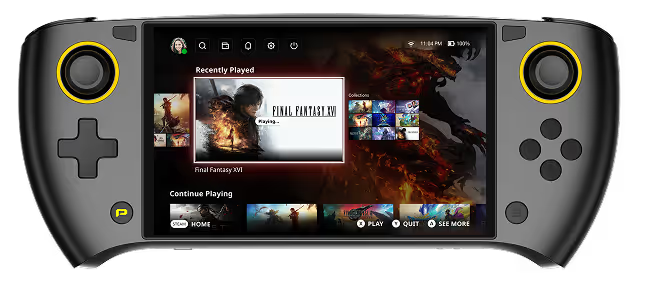
Playtron had approached me because of my work on ChimeraOS, OpenGamepadUI, InputPlumber, and PowerStation. They pay for my work on InputPlumber and PowerStation which are both used in their operating system. That support has been really beneficial for the projects and it has been really rewarding to be able to focus on my passion projects as part of my day to day work.
Can you share what the general reception has been to PlaytronOS?⌗
There has been mixed reception as far as I know, but I think it’s really worth checking out. I’m personally not a fan of the crypto features, but luckily it’s all optional. There are a lot of the same ideas that Playtron has like a unified library between all your game stores in a console-like interface that OpenGamepadUI also has. It will be interesting to see where it goes.
What was the reasoning behind the creation of OpenGamepadUI?⌗
The origin of OpenGamepadUI really started when I was working on early Decky and Crankshaft plugins to extend Steam. (Decky Loader and Crankshaft are both projects that inject themselves into the Steam UI in order to provide a plugin system that can allow users to extend and modify the Steam UI. Crankshaft actually predated Decky Loader as a plugin system for Steam, but is no longer actively developed today.) Everything was great, until a new Steam update broke all of the plugins. That made me realize that we were really at the mercy of Steam updates. We’re one update away from potential collapse of the entire Steam plugin ecosystem. There had to be a better way.
After that day I started looking into writing a custom overlay using Godot Engine that could natively integrate with Gamescope and provide an open source, stable plugin API to give people the ability to extend the Steam’s Gamepad UI. Having this custom overlay and plugin system was great, but it still felt tacked on and not seamless with the Steam experience. I really wanted to have a fully open source console-like interface that was extendible from the ground up. That project eventually evolved into OpenGamepadUI, which can now be used either as an open source Gamescope overlay using “overlay mode” or as a standalone open source alternative to Steam’s Gamepad UI.

Combined with InputPlumber, OpenGamepadUI provides a fully customizable open source alternative to Steam and SteamInput.
Why Godot for OpenGamepadUI?⌗
There are a few reasons why we decided to go with Godot. This is by no means an exhaustive list, but these are some of the main ones:
- Familiarity. We have been using Godot for years in various gaming projects and really enjoy using it.
- Language flexibility. Godot’s GDScript is similar to Python in syntax and speed of development, and with Godot GDExtensions we can offload most of the heavy processing functions to more performant languages like Rust.
- Plugin system. Each OpenGamepadUI plugin is effectively a “DLC” pack that the engine can load and allows plugins to extend and modify any part of the user interface.
- Signaling in Godot is really great for responding to events that need multiple subsystem to react.
- Built-in controller support. While most of the UI is managed by InputPlumber over DBus now, we initially used input events and still have them as a fallback mechanism if you don’t have InputPlumber installed.
- Composability. The Godot scene tree, nodes, and resources make it really nice to compose menus and make user interfaces.
- We like to promote and contribute to FOSS projects that we believe in. Godot is pretty underrated in the gaming industry and we wanted to highlight how flexible it can be.
- It’s not web-based. We really enjoy the performance of native apps over web-based apps.
Could OpenGamepadUI have been written in GTK4? QT? React? Yes. But ultimately we just really enjoy working with Godot and think it’s an excellent choice for building apps as well as games.
What is your favorite handheld, and why?⌗
I’m really split between the Steam Deck OLED and the Lenovo Legion Go S as my daily driver. I play a lot of games like strategy or point & click games where the Steam Deck track pads are invaluable. For everything else, the Legion Go S is my go-to handheld for its larger display and better performance.
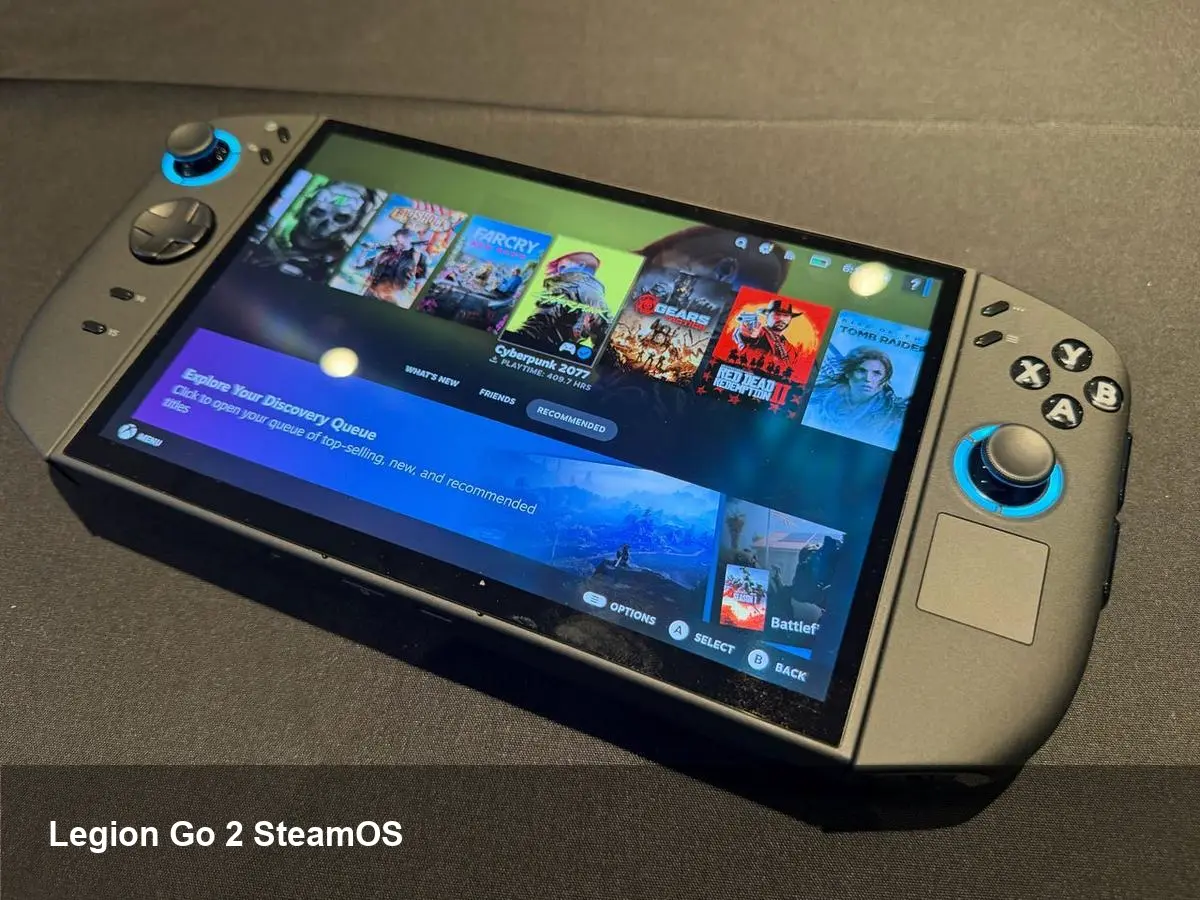
What are your thoughts in regards to devices like the Legion Go S and the Legion Go 2 coming with SteamOS pre-installed? Does that alleviate the headache at all as far as providing Linux support to those handhelds?⌗
It’s fantastic! There is still some headache involved, but we’re now working directly with device manufacturers to provide great Linux support.
What programming languages are you familiar with, and which one is your favorite?⌗
I have experience mainly with Rust, Go, C, C++, and Python. If I had to choose a favorite, Rust currently is at the top of my list, but I also really love Go and C! I really love that Rust allows you to write very safe, fast, and efficient code with automatic memory management without a garbage collector. It also has incredibly powerful enums that are great to work with. Go and C are also some of my favorites because I really value their simplicity.
What is your go-to distribution and desktop environment/window manager, and why?⌗
Lately I’ve been really excited about NixOS and now run it on most of my machines at home. It does have a steep learning curve, but I can see why there are so many people who are so passionate about it. NixOS is just a completely different experience than nearly every other Linux distribution. It does not use the traditional filesystem hierarchy that you will see in other Linux distributions. There is no /bin, /sbin, or /usr for example. Instead everything is centered around /nix/store.
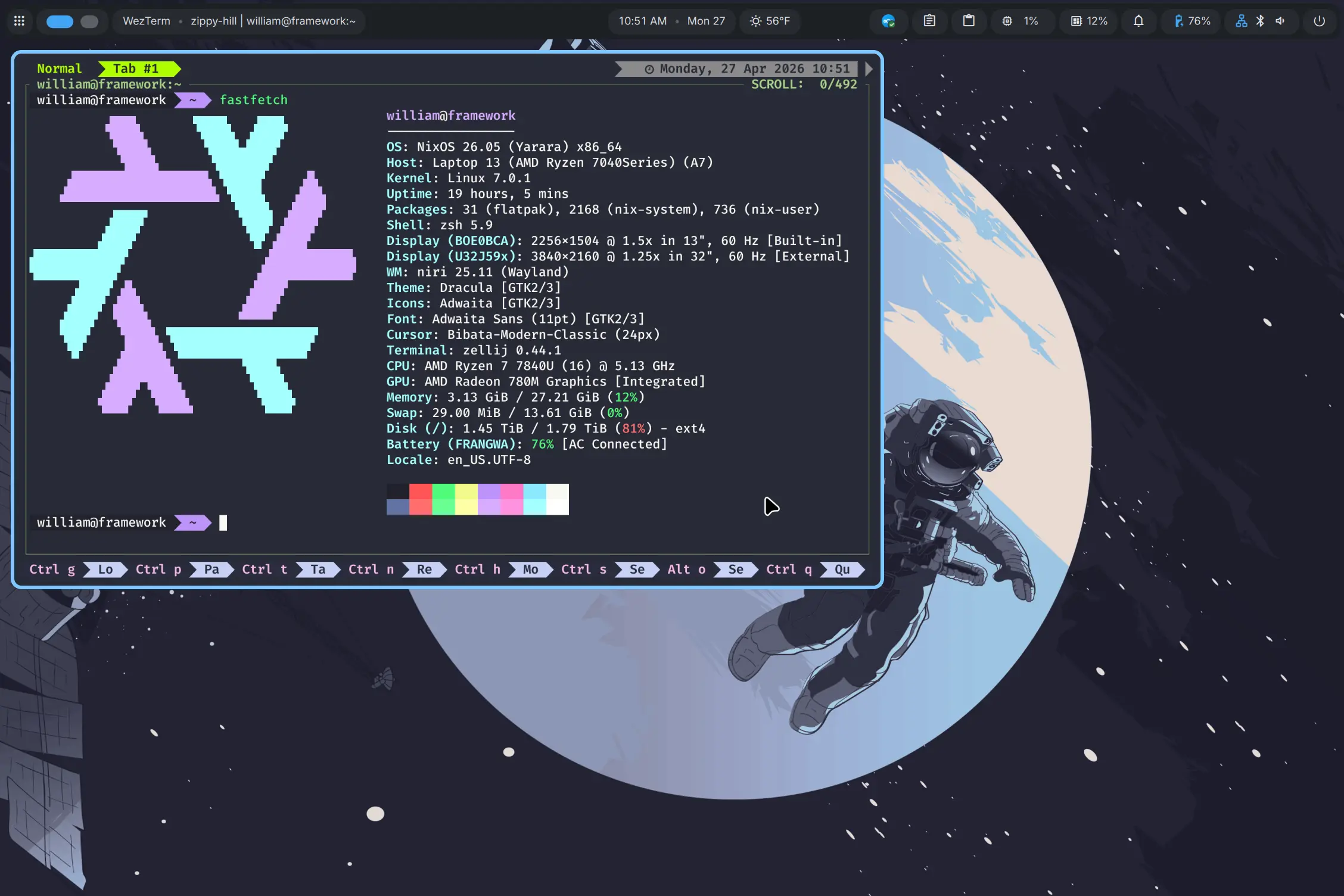
Switching to NixOS often felt like learning Linux all over again. It really has all of the same kinds of stability benefits that “immutable” distributions like Bazzite, ChimeraOS, and SteamOS have, but with so much flexibility and customizability! Derek and I have actually been doing some early work on a NixOS-based distribution that boots directly to OpenGamepadUI called “BlipCore”. It’s still more of an experiment right now, but it’s been a pleasure to work on.
As for desktop environment, I’m currently running Niri + DMS!
What are some of your favorite games?⌗
There’s a lot! Some of my favorites include: Hollow Knight, Slay the Spire, Katana Zero, Rimworld, Pillars of Eternity, Baldur’s Gate 3, Skyrim, and Fallout.
What are your thoughts to the upcoming Steam machine? Is it something that you might be interested in getting?⌗
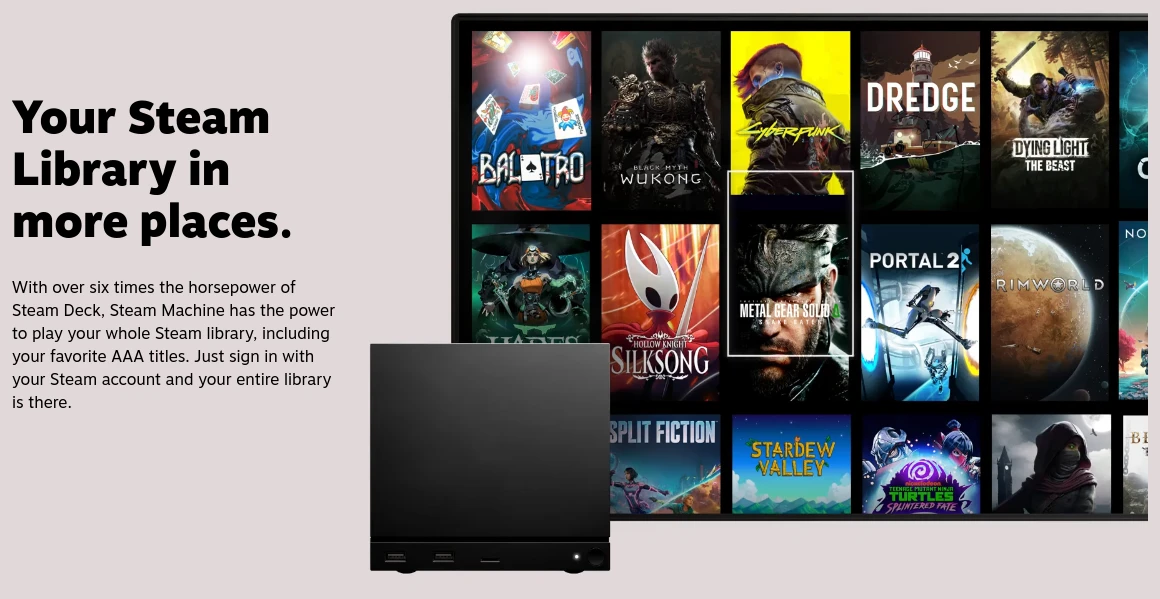
Absolutely! I’m very interested in both the new Steam Machine and the upcoming Steam Frame. I love small form factor PCs for the living room and the LED bar that can show download progress and status is a really elegant touch. It will be interesting to see how things develop in the future. I think another idea that would be interesting for Valve to explore in the living room is external GPU docks; where you can dock your existing handheld into a more powerful GPU for a better experience with your existing handheld.
With the Steam Frame, I’m excited to try to push gaming on ARM as far as it can go. I would also love to explore using Godot’s VR support to see how feasible it might be to add VR support to OpenGamepadUI!
What would you say is the most popular project you’ve worked on, and how has the reception been?⌗
InputPlumber is most popular in terms of number of users, since it ships with SteamOS, ChimeraOS, Nobara, Playtron, and others. In terms of stars on GitHub (if that’s any accurate measure) ChimeraOS and Tuxemon are the most popular. In each case reception has been very positive! There’s always more that can be improved with each of them, but the community reception has been very supportive!
How can the community contribute to the growth of such projects as InputPlumber and OpenGamepadUI?⌗
There’s lots of ways the community can help! Spreading the word, testing, finding and reporting bugs are all things that help us immensely! We have an ever growing issue tracker where people can help tackle problems or propose improvements.
We’re also always looking for new plugin developers! Development of plugins is a great way to introduce yourself to Godot if you have an interest in OpenGamepadUI or to general game development. We’re happy to help people who have never contributed to a FOSS project before!
Any upcoming features to OpenGamepadUI and other tools that we can look forward to?⌗
Right now we’re working on adding a new alternate interface for OpenGamepadUI based on the wonderful design work by Amelia.
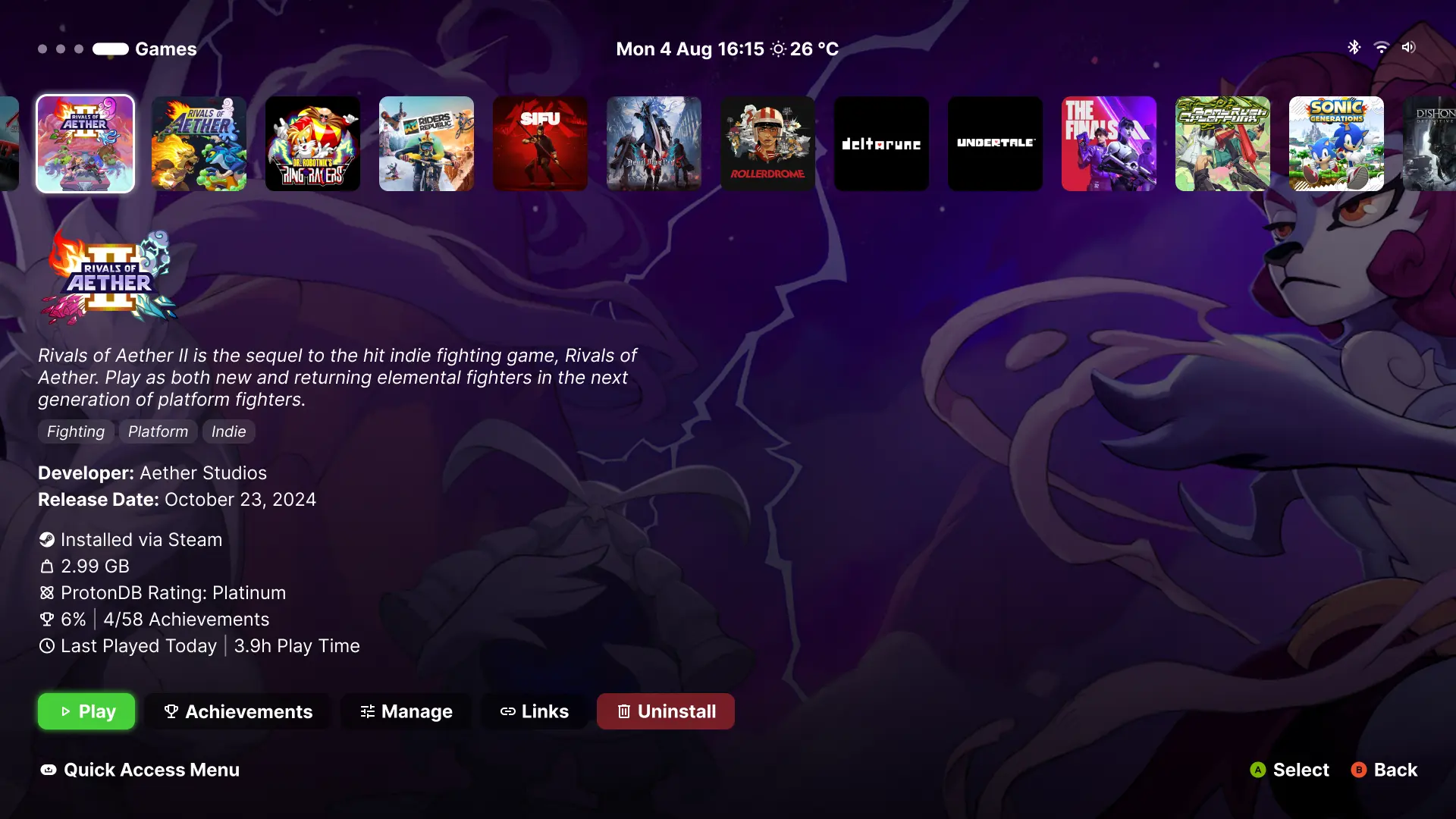
We also have lots of plans on the roadmap including improving the Steam plugin and adding GOG and EGS (Epic Games Store) plugins. Right now the Steam plugin still has a lot of friction involved when you want to connect your Steam library to OpenGamepadUI. You will sometimes get logged out of your account and need to log back in. Game launching also isn’t quite as seamless if there’s an update for the Steam game you’re launching. We will be improving both of these experiences with the latest Steam plugin to provide a much nicer Steam experience from OpenGamepadUI.
We’re also improving OS integration with distributions like Bazzite and NixOS.
Anything else you want to share with us?⌗
If you would like to follow our work or just say “hi”, join us on the ShadowBlip Discord!